Home > Blog > Video brochure trends
How to Create Killer Content for Your Video Business Card

How to Create Killer Content for Your Video Business Card: A Step-by-Step Guide

Having a LCD Video Business Card is only half the battle; the content you load onto it determines its success. A poor video can undermine the impressive hardware. This guide walks you through creating compelling content that maximizes engagement and drives action.
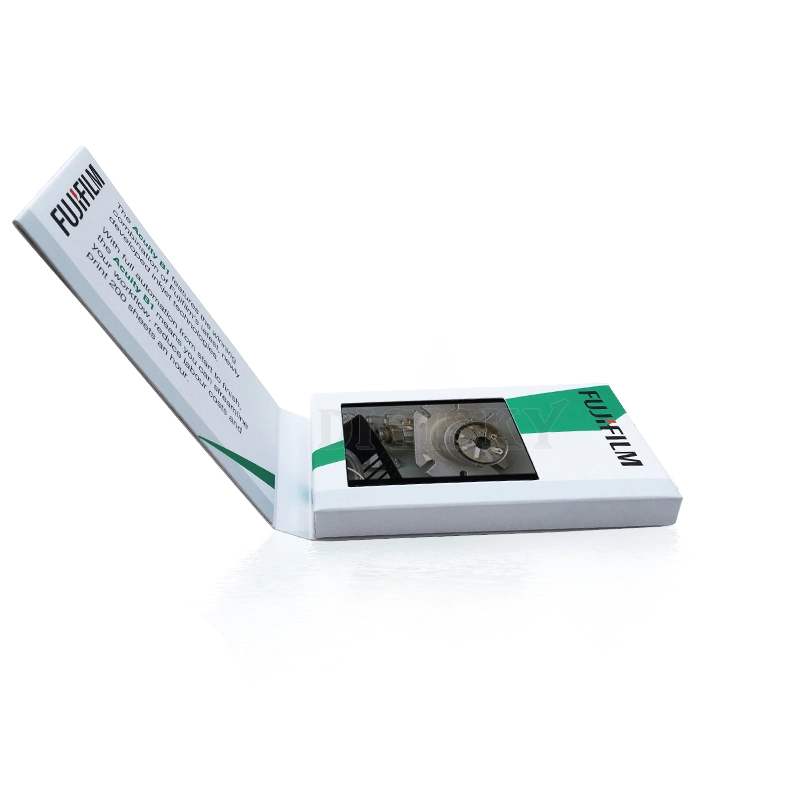
create video for card

1. Keep It Short & Focused:

Attention spans are short. Aim for 30-60 seconds max.

  • 0-5s: Hook the viewer immediately (bold visual or question).
  • 5-20s: Present the problem and your solution.
  • 20-45s: Show proof (demo, testimonial, result).
  • 45-60s: Clear Call-to-Action (CTA) – "Scan QR," "Visit Website," "Call Now."

2. Technical Specifications:

Ensure your video plays smoothly on our devices:

  • Format: MP4 (H.264 codec) is best for compatibility.
  • Resolution: 320x240 (for 2.4" screens) or 480x272 (for 2.8"). Upscaling 1080p is fine, but keep file size in check.
  • File Size: Match your memory (128MB = ~8 mins, but keep individual files under 50MB for fast loading).
  • Audio: Ensure voiceovers are clear; background music should not overpower speech. Remember, the speaker is small (8Ω 2W), so avoid deep bass-heavy tracks.

3. Script Templates by Industry:

  • Real Estate: "Welcome to [Address]. See the spacious living room... [Pan shot]. The kitchen features... [Close up]. Schedule your tour today!"
  • Creative: "Hi, I'm [Name]. Here's a quick look at my best work... [Montage]. Let's create something amazing together."
  • Corporate: "Thank you for meeting. Here's a snapshot of how we solve [Problem]... [Graph/Chart]. Let's discuss next steps."

4. Visual Best Practices:

  • Lighting: Use natural light or softbox lighting. Avoid harsh shadows.
  • Framing: Keep subjects centered. Remember the screen is small; avoid cluttered backgrounds.
  • Text: Use large, bold fonts. Small text is unreadable on 2.4" screens.

5. Updating Your Content:

One of the biggest advantages of our cards is reusability. Simply connect the USB cable to your computer, delete the old file, and drag in the new one. You can refresh your message for every new campaign without buying new cards.

Common Mistakes to Avoid:

  • Making the video too long (>2 mins).
  • Poor audio quality (crackling or too quiet).
  • No clear CTA at the end.
  • Using horizontal video on a vertical card layout (or vice versa) without adjusting.

Ready to Record?

Plan your script, film with a smartphone or pro camera, edit for brevity, and load it onto your Custom Video Business Card. Watch your engagement soar.

Related: Download Video Templates & Specs

click
Practical advice on scripting, filming, and formatting video content to ensure your business card leaves a lasting impression.

adigisky logo

Information

Custom gift packaging

Adigisky Co., Limited

Office : No 11, North Sation Road, Sungang Street, Luohu District, Shenzhen.
Factory: Building B, Chuangxin industrial Park, NO.196 Fusheng Road, Yangwu Village, Dalang Town, Donguan.

Teams: adigisky 

WhatsApp:+086 18938042832

Phone: +086 18938042832

Email: sales@adigisky.com

Copyright © 2025 Adigisky CO., limited | All rights reserved.